Latest videos

🔹Download the free guide from HubSpot on Your 2026 Guide to
AI Agents: https://clickhubspot.com/70c662
🔹Code in this video (available inside Skool): https://www.skool.com/ai-agent....-builders/classroom/
No frameworks. No vibe coding. No third-party tools. In this beginner course I show you how to build a fully functioning AI agent from scratch in pure Python — so you actually understand what's happening under the hood, not just how to prompt a tool.
Want to LEARN how to build useful AI agents that actually get things done? Go here: https://aiagentbuilders.co/yt
🚀 Tools I Use
Get 10% off with code techwithtim
Openclaw setup: https://www.hostinger.com/techwithtim
VPS setup: https://www.hostinger.com/techwithtim10
Wispr Flow (Best AI Dictation): https://ref.wisprflow.ai/TechWithTim-aug26
🎞 Video Resources 🎞
HubSpot Free Resource - https://clickhubspot.com/70c662
Skool Lead Magnet: https://www.aiagentbuilders.co..../yt-resources/pure-p
⏳ Timestamps ⏳
00:00 | Overview
00:30 | What is an Agent
02:52 | The Three Steps
03:21 I Step 1 - Calling an API
11:50 | HubSpot Free Resource
13:15 | Step 2 - Conversation History
17:08 | Step 3 - Tool Calling
28:09 | Full Agent Build
Hashtags
#Python #AIAgents #BuildWithAI
UAE Media License Number: 3635141
Thanks to Microsoft for sponsoring this video! Submit your #CodingWithCopilot stories so I can review them! I'm excited to check out more!
Today I'll be showing you how to build local AI agents using Python. We'll be using Ollama, LangChain, and something called ChromaDB; to act as our vector search database. All of this will be local and free to run.
🎞 Video Resources 🎞
Code in this Video: https://github.com/techwithtim/LocalAIAgentWithRAG
Ollama Library: https://ollama.com/library
Download Ollama: https://ollama.com/
Virtual Environments Video: https://www.youtube.com/watch?v=Y21OR1OPC9A
Ollama Video: https://www.youtube.com/watch?v=UtSSMs6ObqY&t=1s
⏳ Timestamps ⏳
00:00 | Video Overview
00:34 | Project Demo
02:02 | Python Setup/Installation
04:33 | Ollama Setup
07:14 | GitHub Copilot
08:22 | Local LLM Usage
14:52 | Vector Store Database Setup
23:24 | Connecting LLM & Vector Store
#sponsored

How to use Claude Code to build an Agent. You don't need to know how to code to build your own AI agent -- and in this video, I'll prove it. I'll walk you step by step through creating an agentic workflow using Claude Code and VS Code so your AI can research, plan, and deliver results on its own.
In this tutorial, we go beyond simple app building and into agentic workflows -- where you give the AI a goal and it figures out the steps on its own. You'll learn the three levels of working with AI (chat, building, and agentic), how to set up VS Code with the Claude Code extension, why the CLAUDE.md file is a game changer for your projects, and how to build and run a real research agent from scratch. We also cover plan mode, iterating on results, automatic memory, and the five biggest mistakes to avoid.
Timestamps:
0:00 Intro
1:00 What is an agentic workflow
3:37 Setting up VS Code with Claude Code
5:07 Quick orientation of VS Code
6:42 Setting up your CLAUDE.md file
9:22 CLAUDE.md comparison -- with vs without
10:50 Automatic memory in Claude Code
11:16 The three layers of agentic workflows
12:45 Building your first agent with plan mode
18:03 Running the research workflow live
21:12 Iterating and refining results
22:22 Five mistakes to avoid and pro tips
24:58 Wrap up and weekly challenge
Claude Code for Beginners (watch first): https://youtu.be/s-Mc26Ytz10
Claude Code - Build a Business Analyst: https://youtu.be/we4J_JgPeQA
Claude Cowork for Beginners: https://youtu.be/vv09DHej6gg
Visual Studio Code Download: https://code.visualstudio.com/download
✅ Claim your FREE $499 Masterclass: Build & Sell Apps, AI Agents & Websites with AI https://mikeyno-code.com/Skool-base44
✅ Best AI Agent Tool is Base44 https://mikeyno-code.com/agent7
🔵 Get the FREE App Store Submission Checklist (step by step): https://mikeyappchecklist.netlify.app/
In this video, I break down how to build AI agents better than 99% of people by understanding what is an AI agent and how it actually works. You’ll learn AI agents explained step by step, follow a practical AI agents tutorial and AI agent tutorial, and see exactly how to build AI agents for real use cases. Whether you're looking for a structured AI agents course or want to build AI agents from scratch, this guide covers everything you need to get started.
00:00 - Intro: Building AI Agents Better Than 99% of People
01:28 - Free Base44 AI App Development Masterclass
02:01 - Chatbots vs AI Agents: The Mindset Shift
02:40 - Base44 Super Agents vs General Chat
04:32 - Natural Language Programming with Claude Opus 4.6
05:05 - Removing Technical Friction: No Servers or APIs
06:00 - Use Case 1: Automated AI Executive Assistant
06:55 - 24/7 Cloud Execution & AI Reliability
07:42 - Use Case 2: Market Scout & Travel Coordinator
10:12 - ChatGPT vs Zapier vs Base44 Execution
10:46 - Use Case 3: Full-Cycle Sales & CRM Agent
11:51 - Agent Memory: Training AI on Business SOPs
13:16 - Frictionless AI: Operating Inside WhatsApp & Slack
16:14 - Use Case 4: High-Speed Lead Nurturing Agent
17:28 - Use Case 5: Business Intelligence Data Analyst
20:26 - Live Build: Creating the Lead Pilot Super Agent
22:04 - Integration 1: Connecting Gmail to Base44
22:36 - Integration 2: Connecting HubSpot CRM
22:52 - Integration 3: Connecting WhatsApp Web
23:46 - Task Execution: Automating the Lead Workflow
24:38 - Live Testing the Automated Lead Pipeline
27:10 - Common Beginner Mistakes with AI Agents
28:33 - Cumulative Intelligence: Correcting AI Errors
For inquiries: Mikey (at) ytmedia.group

Everyone is talking about AI agents and almost nobody can tell you what one actually is. Ask someone to explain the difference between an agent and ChatGPT and you get hand-waving. In this video I explain every single piece of a real AI agent in plain English — and then prove it by building one from scratch, live, using open source tools.
Want to LEARN how to build useful AI agents that actually get things done? Go here: https://aiagentbuilders.co/yt
How to Make Money With Coding instantly: https://techwithtim.net/newsletter
🚀 Tools I Use
Get 10% off with code techwithtim
Openclaw setup: https://www.hostinger.com/techwithtim
VPS setup: https://www.hostinger.com/techwithtim10
Wispr Flow (Best AI Dictation): https://ref.wisprflow.ai/TechWithTim-aug26
🎞 Video Resources 🎞
TrueForge Github : https://github.com/truefoundry/trueforge
TrueForge Docs: https://trueforge.dev/introduction
TrueForge Benchmarking Article : https://www.truefoundry.com/bl....og/engineering/truef
⏳ Timestamps ⏳
00:00 | Overview
01:07 | AI Model vs AI Agent
02:27 | 1. Harness
03:40 | 2. MCP Servers
04:45 | 3. Skills
05:36 | 4. Sandbox
06:41 | 5. The Production Layer
08:03 | Building Agents
16:55 | Deploying an Agent
17:52 | Benchmarks & Speed
Hashtags
#AIAgents #HowAIWorks #TrueForge
UAE Media License Number: 3635141

In this step-by-step tutorial, I'll show you how to create a powerful AI agent using Microsoft Copilot Studio in Microsoft Copilot 365, with absolutely no code required! This is Part 1 of our AI agent series with Microsoft Copilot Studio.
We'll build "PoochPal," a friendly AI assistant for our demo dog grooming business, "Pooch Haven Spa." You'll learn how to train your bot with your own website data and documents, customize its personality, and set rules for how it responds to customers.
➡️ Watch Part 2: https://youtu.be/sBapFKSwJ6Q
➡️ Learn more about M365 Copilot: https://youtu.be/j5xQn8Pi_Gw
In this video, you'll learn:
🔹 The difference between Copilot Studio in M365 and the full Copilot Studio.
🔹 How to create your first AI agent with a simple prompt.
🔹 How to add knowledge sources like websites and documents (PDF, Word).
🔹 How to customize your agent's icon, tone, and instructions.
🔹 How to test your AI bot to ensure it's accurate and helpful
0:00 Intro: Build Your Own AI Bot
0:45 Accessing Microsoft 365 Copilot
1:31 Difference between Copilot Studio in M365 vs. Copilot Studio
2:03 Create Your First AI Agent with a Simple Prompt
3:20 Add a custom icon to your agent
4:10 Customize Your Agent's Personality & Rules
5:02 Add Knowledge Sources (Websites & Documents)
6:17 Adjust agent capabilities and suggested prompts
6:48 Test Your AI Bot for Accuracy
7:56 Publish and share your agent

In this video, you will learn how to build a customer support AI agent in 20 minutes using Zapier
Zapier Login: https://bit.ly/3K6RNcY
Download all the video resources here: https://resources.codebasics.io/fB8OqK
Do you want to learn technology from me? Check https://resources.codebasics.io/fYCzjn for my affordable video courses.
Need help building software or data analytics/AI solutions? My company https://www.atliq.com/ can help. Click on the Contact button on that website.
🎥 Codebasics Hindi channel: https://www.youtube.com/channe....l/UCTmFBhuhMibVoSfYo
#️⃣ Social Media #️⃣
🧑🤝🧑 Discord for Community Support: https://discord.gg/r42Kbuk
📸 Codebasics' Instagram: https://www.instagram.com/codebasicshub/
📝 Codebasics' Linkedin : https://www.linkedin.com/company/codebasics/
------
📝 Dhaval's Linkedin : https://www.linkedin.com/in/dhavalsays/
📝 Hem's Linkedin: https://www.linkedin.com/in/hemvad/
📽️ Hem's Instagram for daily tips: https://www.instagram.com/hemvadivel/
📸 Dhaval's Personal Instagram: https://www.instagram.com/dhavalsays/
🔗 Patreon: https://www.patreon.com/codeba....sics?fan_landing=tru
Learn how to build your first AI agent in 10 minutes with no code. This step-by-step beginner tutorial takes you from zero to a fully working AI agent that connects to your real tools and runs on a schedule automatically.
✅ Nexos.ai (Exclusive 76% Off): https://meticsmedia.com/nexos-QQQ
Learn how to build a real AI agent from scratch using Nexos.ai, with no coding, no servers, and no technical experience required. This tutorial walks you through the full process, from signing up and describing your agent in plain English to connecting your Google Calendar and Gmail, testing your agent, and setting it up to run automatically every morning. Whether you've never touched AI before or you've been curious about agents but didn't know where to start, this video gives you everything you need to get your first one up and running.
What You'll Learn:
✔️ What an AI agent actually is and how it's different from a chatbot
✔️ How to sign up for Nexos.ai and set up your workspace
✔️ How to build an AI agent from scratch using plain English
✔️ How to connect integrations like Google Calendar and Gmail
✔️ How to choose where your agent delivers its results
✔️ How to test your agent and verify it's pulling real data
✔️ How to save your agent and set it to run on a daily schedule
✔️ How to manage, edit, duplicate, or delete your agents
✔️ How to use pre-built agent templates to get started faster
✔️ How to create projects and chat with any AI model inside Nexos.ai
📍 Exclusive Deals & Discounts: https://meticsmedia.com/deals
⏱️ Timestamps
0:00 Intro
0:31 What is an AI Agent
1:09 Why Nexos.ai
1:53 Nexos.ai Coupon
2:17 Sign Up + Onboarding
3:38 Building Your First Agent
4:54 Connecting Integrations
5:43 Delivery Options
6:41 Testing Your Agent
8:10 Save Your Agent
8:20 Managing Your Agent
8:52 What Else Can You Do?
9:49 Next Steps
📄 Disclosure
Some of the links are affiliate links. If you make a purchase through them, we earn a small commission at no extra cost to you. This helps us keep our videos free for everyone.

Install Buzz: https://www.hostg.xyz/SHJtb
All systems: https://www.skool.com/claude
Free Community: https://www.skool.com/aianswers
Clickup: https://clickup.com/?utm_source=Samin
-----------------------------
✉️ For Business Inquiries: [email protected]
Hi 👋 I'm Samin. This channel is for you if you’re a business owner who wants to:
→ Build a complete client acquisition system
→ Scale your revenue while working less
You may be feeling stuck, trying to figure out how to attract consistent leads, increase your sales, and grow your business without burning out.
If that sounds like you I can help.
But why even listen to me?
I’ve have helped 200+ business use AI Automations generating and saving them millions (look at my case studies)
My company was featured in Bloomberg business week for innovative use of AI Agents.
I’m an Ex-Amazon software engineer with over 6 years of experience
I have a computer science degree from NYU
00:00 Meet My AI Team
00:27 The Big Setup Questions
01:10 Why Build an AI Team?
01:43 The Business Bottleneck
02:28 Small Team, Bigger Output
03:08 Match the Model to the Job
03:44 From Separate Bots to a Team
04:29 How Buzz Brings It Together
5:09 Full tour of Buzz
9:36 Models, harnesses & agents
12:39 Subscriptions vs pay-per-token
16:39 Mac mini vs VPS
21:27 Setting up Buzz from scratch
27:58 Building an AI project manager
31:45 Making your agents debate

✅ Claim your FREE $499 Masterclass: Build & Sell Apps, AI Agents & Websites with AI https://mikeyno-code.com/Skool-base44
✅ Become Better than 99% of People in Claude by using Base44 https://base44.pxf.io/c/6440076/3820726/25619?trafcat=agent&sharedid=agent8
In this video, I break down how to build AI agents in 14 minutes using Claude, even if you're a complete beginner. You’ll learn how to build an AI agent step by step, including how to build an AI agent with Claude using practical workflows powered by Claude Code. I also walk you through a simple AI agent tutorial, a beginner-friendly Claude Code tutorial, and explain Claude Code for beginners so you can start building your own AI agents faster and more efficiently.
00:00 - Intro: Building AI Agents in 14 Minutes
01:46 - The Problem with Raw Code AI Agent Development
04:14 - Why Base44 & Claude Beat Traditional Frameworks
05:50 - Live Build: Restaurant Customer Service AI Agent
07:19 - The 4 Core Capabilities of an AI Agent
10:19 - Defining the AI Agent's Architecture & Role
11:54 - Base44 Dashboard & Claude Opus 4.8 Setup
13:05 - Free AI App Development Masterclass
15:10 - Configuring AI Personality & Tone
16:08 - Uploading the Business Knowledge Base
17:06 - Setting Conversation Flow & Human Escalation Logic
20:34 - Task Execution: Automating the Booking System
22:09 - Automated CRM Lead Collection
23:09 - Setting Up Takeout & Dining Order Processing
24:14 - Live Testing: Verifying the AI Agent Workflow
26:45 - Multi-Channel Integration: Connecting WhatsApp
27:39 - Multi-Channel Integration: Connecting Telegram
28:35 - Tracking ROI with AI Agent Analytics
29:18 - API Deployment & Going Live
📩 For inquiries: Mikey (at) ytmedia.group

Learn how to build production-ready AI agents using Google's Agent Development Kit in just 60 seconds! This tutorial covers LLM integration, custom Python tools, memory implementation, and natural language processing.
🎯 What You'll Learn:
• Setting up Google ADK agents
• Creating Python function tools
• Implementing agent memory
• Natural language goal processing
Perfect for developers and AI enthusiasts!
#GoogleADK #AIAgent #MachineLearning #Python #GoogleAI #AITutorial #LLM #ArtificialIntelligence #TechTutorial #Programming #Coding #SoftwareDevelopment #AITools
How To Build Your First AI Agents. Sign up for a paid Hyperagent plan and get $500 in bonus credits: https://www.hyperagent.com/zinho
You can build an entire team of AI agents — and it's way easier than you think. In this video, I show you how to build your first AI agent from scratch using Hyperagent (built by the team behind Airtable). No code, no complicated setup.
I walk through the one pattern every good agent is built on: solve the problem yourself first in a normal conversation, then turn that solution into an agent that does it on repeat, forever. By the end, you'll have a real agent connected to your actual tools, running on a schedule, handing you finished work while you sleep.
📂 Every prompt from this video + templates: https://www.skool.com/ai-launchpad/about
Chapters:
0:00 - Intro
01:23 - Chatbot vs. Agent
02:00 - The one pattern
02:43 - Connect your tools
03:29 - Solve the problem first
05:56 - Turn it into an Agent
07:04 - Building a skill
09:01 - Building a second agent
10:39 - Command Center
12:05 - The Recap
🔗 Try Hyperagent — first 500 signups get $500 in free credits: https://www.hyperagent.com/zinho
🔗 Free Skool community (prompts + workflows): https://www.skool.com/ai-launchpad/about
For business inquiries including sponsorships and collaborations, please email:
[email protected]

Thanks to Zapier for sponsoring! Zapier Agents connects you directly to your apps, data, and workflows. Start building your own Zapier Agents and use Agent templates here:
https://bit.ly/4qZwF8n
#ZapierPartner
Learn how to build AI agents that automate tasks across 8,000+ apps using Zapier's new Agents and Copilot features, no coding required.
🔗 This video is sponsored. Some product links are affiliate links which means if you buy something we'll receive a small commission.

✅ Claim your FREE $499 Masterclass: Build & Sell Apps, AI Agents & Websites with AI https://mikeyno-code.com/Skool-base44
✅ Best AI Agent Tool is Base44 https://mikeyno-code.com/agent13
🔵 Get the FREE App Store Submission Checklist (step by step): https://mikeyappchecklist.netlify.app/
In this video, I break down how I built an AI agent in 14 minutes as a beginner in 2026, showing a simple and practical workflow anyone can follow. You’ll learn how to build an AI agent step by step, including a beginner-friendly AI agent tutorial and how tools like n8n AI agent setups can be used to automate real tasks. Whether you're new to automation or exploring how modern AI agent systems work, this guide shows you how to get started quickly and build your first working AI agent.
00:00 - Intro: Building a Functional AI Agent in 14 Minutes
00:58 - Free AI App & Business Masterclass
01:37 - What is Base44? The No-Code AI Powered App Builder
02:16 - Getting Started: Dashboard Overview and Prompt Interface
02:48 - Understanding the Base44 Credit-Based Pricing Model
03:38 - Project Setup: Building a Full-Stack Task Management App
04:12 - Core Roadmap: Forms, Databases, and AI Agent Logic
05:23 - Feature 1: Building the Core Task Creation System
06:17 - The Exact AI Prompt for App Foundation & List View
07:16 - How to Build and Scale Profitable AI Businesses
08:25 - Feature 2: Adding Filters, Sorting, and Kanban Boards
09:38 - The Exact AI Prompt for App Organization & UI
10:20 - Feature 3: Adding a Progress Dashboard & Summary Cards
11:07 - The Exact AI Prompt for Dynamic Data Dashboards
11:59 - Feature 4: Enabling Secure User Authentication & Private Data
12:48 - The Exact AI Prompt for No-Code User Login Flows
13:30 - Feature 5: Integrating a Native AI Chat Assistant
14:36 - The Exact AI Prompt for Natural Language App Control
15:30 - Feature 6: Upgrading to a Dynamic Autonomous AI Agent
16:40 - The Exact AI Prompt for Context-Aware AI Agents
17:27 - Conclusion: Shifting from Writing Infrastructure to Building Products
For inquiries: Mikey (at) ytmedia.group
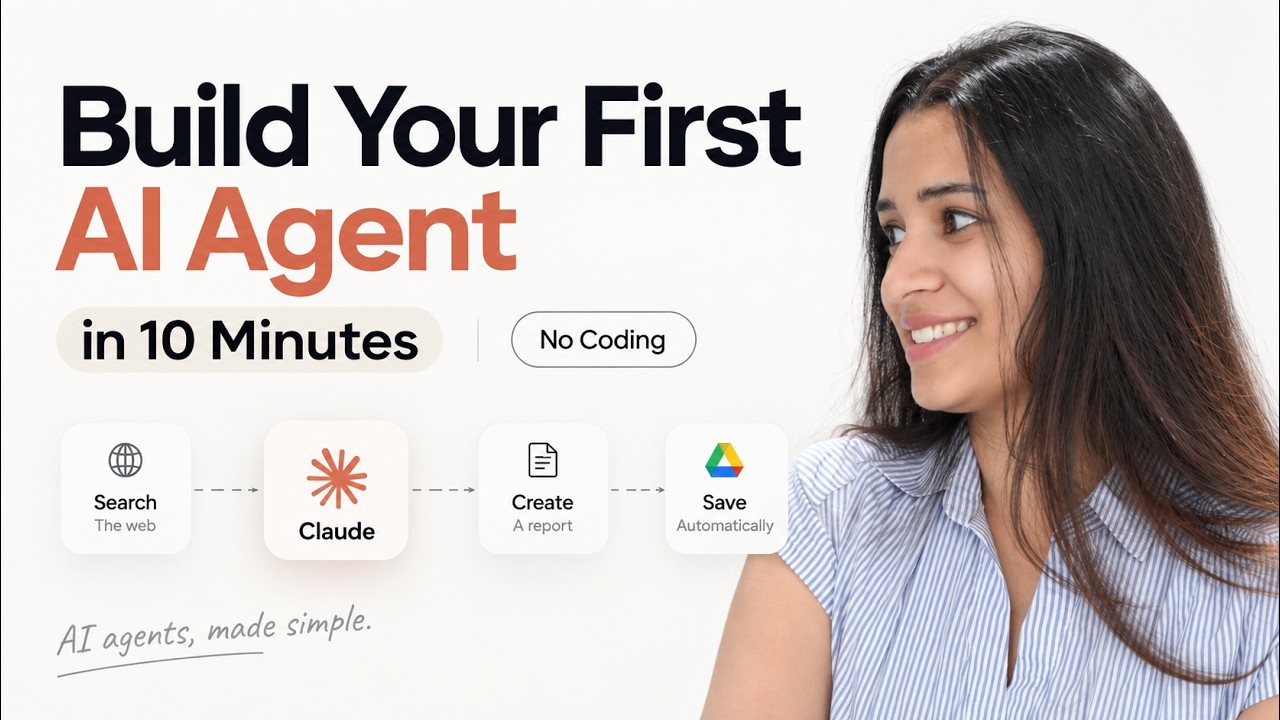
Build your first AI agent in just 10 minutes — no coding, APIs, or complicated automation workflows required.
In this video, I’ll show you how to build a simple but genuinely useful AI agent using Claude Cowork. We’ll create a Daily AI Research Agent that searches the web for important AI news, summarizes the biggest stories, explains why they matter, and then automatically saves the finished report to Google Drive every morning.
You’ll see how to give an AI agent a clear goal, improve its instructions, give it access to the right tools, and turn the workflow into an automated scheduled task.
We’ll also cover what actually makes something an AI agent, why you don’t need a giant workflow with dozens of integrations to get started, and an important safety consideration before giving AI agents access to your apps and accounts.
🔗 Free HubSpot AI Agent Course: https://clickhubspot.com/6ed411
CHAPTERS:
00:00 Build Your First AI Agent
00:37 What Is an AI Agent?
01:16 The AI Agent We’re Building
02:27 Build an Agent with Claude Cowork
04:08 Free HubSpot AI Agent Course
05:31 Check What your agent produces
07:06 Automate Your AI Agent
08:12 Why This Is Actually an AI Agent
09:00 One Important AI Agent Warning
#AIAgents #ClaudeAI #ArtificialIntelligence #AIAutomation #ClaudeCowork #NoCode #AITools #Automation #Anthropic #GenerativeAI
Subscribe if you liked the video: https://www.youtube.com/@anjan....agowtham?Sub_Confirm
❤ Anjana

Welcome to chai aur code, a coding/programming dedicated channel in Hindi language. Now you can learn best of programming concepts with industry standard practical guide in Hindi language.
All source code is available at my Github account:
https://github.com/hiteshchoudhary
Our Open-Source Project is here: https://freeapi.app
Join me at whatsapp: https://hitesh.ai/whatsapp
for community discord: https://hitesh.ai/discord
Instagram pe yaha paaye jaate h:
https://www.instagram.com/hiteshchoudharyofficial/
HTML video series: https://www.youtube.com/watch?v=XmLOwJHFHf0&list=PLu71SKxNbfoDBNF5s-WH6aLbthSEIMhMI
Complete javascript series: https://www.youtube.com/watch?v=Hr5iLG7sUa0&list=PLu71SKxNbfoBuX3f4EOACle2y-tRC5Q37
Complete Reactjs series: https://www.youtube.com/watch?v=vz1RlUyrc3w&list=PLu71SKxNbfoDqgPchmvIsL4hTnJIrtige
Javascript and react interview series: https://www.youtube.com/watch?v=1wqCyz7XrV4&list=PLu71SKxNbfoCy_MsA98SBfvUKF5eQit6L
Backend development with Javascript: https://www.youtube.com/watch?v=EH3vGeqeIAo&list=PLu71SKxNbfoBGh_8p_NS-ZAh6v7HhYqHW
Python Series: https://www.youtube.com/watch?v=Ca5DLSDfPec&list=PLu71SKxNbfoBsMugTFALhdLlZ5VOqCg2s